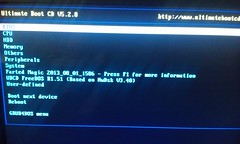
Computer guys........I need a little help

UGA12

Registered User
Forum Member
Jul 7, 2003
7,779
108
63
Between The Hedges
ok - good

the freezing has to be frustrating

you can hit ctrl+shift+esc to bring up the task manager to see what is running and taking up the memory

i wanted you to do it thru ccleaner but you can quickly do it
by going start
type msconfig in to the search bar
go to startup
select all and disable - that will turn off software that loads at start up

if the computer freezes again after that then it is a windows issue or a hardware issue

Seems if I let it sit a day or 2 that I can get to the page pictured above and I can get to desktop. I will do the above next time I get there and simply us process of elimination over time. Thanks again!
 

JOSHNAUDI

That Guy
Forum Member
Dec 12, 2000
10,340
416
83
50
Seguin, TX
www.schwartz-associates.com
no problem

i went back and looked at the gibberish to see if there was anything in it

It talks about the S.M.A.R.T. command failing - S M A R T monitors a hard disk and I have only once seen one fail and it alerted me through SMART

I also googled - f1 to continue - because that is not a normal command

everything pointed to an issue in the bios relating to a hardware issue - disk drive or hard drive

does the cd rom door open when powered on - have you gone in to the bios and disabled the cd rom drive or eliminated it from the start up sequence

does the f1 to continue option always come up after going in to f2 bios and saving (usually f5)
 

UGA12

Registered User
Forum Member
Jul 7, 2003
7,779
108
63
Between The Hedges
no problem

i went back and looked at the gibberish to see if there was anything in it

It talks about the S.M.A.R.T. command failing - S M A R T monitors a hard disk and I have only once seen one fail and it alerted me through SMART

I also googled - f1 to continue - because that is not a normal command

everything pointed to an issue in the bios relating to a hardware issue - disk drive or hard drive

does the cd rom door open when powered on - have you gone in to the bios and disabled the cd rom drive or eliminated it from the start up sequence

does the f1 to continue option always come up after going in to f2 bios and saving (usually f5)

yes they both open, No have not disabled, and I do not enter BIOS to get to that screen it just pops up in the place of desktop when booting(that is if the "reboot" message does not appear..
 

JOSHNAUDI

That Guy
Forum Member
Dec 12, 2000
10,340
416
83
50
Seguin, TX
www.schwartz-associates.com
i was talking to a client yesterday about how tough phone tech support can be because you don't know the skill level of the person on the other end

i have tech supported the following fixes

a broken left mouse button

a monitor power button that was off and needed to be pressed to turn on - 30 minutes billable

a router ethernet cable that was unplugged - on site visit required

- uga obviously has some computer skill and know how - this does appear to have a hardware link to the problem making your firmware assessment pretty impressive :toast::toast::toast:

hopefully we can get it figured out

other things to do when you get in
right click computer
go to properties
go to advanced sys settings
click settings under performance
click advanced
change virtual memory
click custom size
make the initial size - half of the space available
make the max size a few thousand more than the initial

creates virtual ram memory using free hard disk space


you can also go to network and sharing
change adapter settings
right click your wirless or wired connection that you use
click properties
select ipv4
click properties
under dns primary enter 8.8.8.8
secondary 8.8.4.4

uses google dns servers - website viewing speed usually improves
 

JOSHNAUDI

That Guy
Forum Member
Dec 12, 2000
10,340
416
83
50
Seguin, TX
www.schwartz-associates.com
yes they both open, No have not disabled, and I do not enter BIOS to get to that screen it just pops up in the place of desktop when booting(that is if the "reboot" message does not appear..

that should eliminate the cd drives as the problem

can still double check by changing the startup order in the bios to the samsung hd50 executing first

i'll check back in - here's a microsoft solution for the master boot record if mine won't work


  • bcdedit /export C:\BCD_Backup
  • c:
  • cd boot
  • attrib bcd -s -h -r
  • ren c:\boot\bcd bcd.old
  • bootrec /RebuildBcd

http://support.microsoft.com/kb/927392
 

UGA12

Registered User
Forum Member
Jul 7, 2003
7,779
108
63
Between The Hedges
A firmware issue would not arise two years down the road. Firmware is mainly permanent code in the hardware. I say mainly because you can do software updates to firmware from manufacturers who supply firmware updates. If it was a software update to firmware (firmware relates to hardware) then yes, system restore could go to a period of time before the software update.

Things I would try
f2 to get in to the bios and there should be a way to load defaults or optimal default. Try that.

I would double check the start up order and make sure it hasn't changed - make sure there isn't a floppy disk setting above the hdd. you can have cd rom first or hdd first.

Make sure you do not have a disk in the cd rom - As silly as this is, if the order is to read cd first and a non bootable cd was in there- that could stop it from loading

http://www.ultimatebootcd.com/ - I've never used this site but I saw that you can create a bootable windows disk from the site - you mentioned you had other computers - any cd that came with them could probably get you to a dos prompt.

i'm guessing it doesn't go far enough to f8 in to boot options?


Tried optimal default and got "reboot" error. Bios does not recognize Hard drive in start up order. No disk in rom. will check out ultimatebootcd tomm and write one on my laptop and see if it works. Thanks
 

UGA12

Registered User
Forum Member
Jul 7, 2003
7,779
108
63
Between The Hedges
i was talking to a client yesterday about how tough phone tech support can be because you don't know the skill level of the person on the other end

i have tech supported the following fixes

a broken left mouse button

a monitor power button that was off and needed to be pressed to turn on - 30 minutes billable

a router ethernet cable that was unplugged - on site visit required

- uga obviously has some computer skill and know how - this does appear to have a hardware link to the problem making your firmware assessment pretty impressive :toast::toast::toast:

that should eliminate the cd drives as the problem

can still double check by changing the startup order in the bios to the samsung hd50 executing first

i'll check back in - here's a microsoft solution for the master boot record if mine won't work

Make no mistake, I have little to no formal training but am pretty good about picking up on things in general. Having said that give me zero respect when it comes to this as I know very little and may be missing something very simple, you obviously understand all this shit and I assure you I don't.

The boot order was one of my original points, the hard drive is not listed and not recognized in BIOS.
 

JOSHNAUDI

That Guy
Forum Member
Dec 12, 2000
10,340
416
83
50
Seguin, TX
www.schwartz-associates.com
Make no mistake, I have little to no formal training but am pretty good about picking up on things in general. Having said that give me zero respect when it comes to this as I know very little and may be missing something very simple, you obviously understand all this shit and I assure you I don't.

The boot order was one of my original points, the hard drive is not listed and not recognized in BIOS.

Sorry. I misread your first post. When I saw the picture of the F1 to continue screen it showed the Samsung hard drive and the fail command. When you get to that screen the computer is reading the hard drive.

The hard drive is failing. None of my software fixes (ccleaner, msconfig or fixboot) will work. Your buddy can easily plug a different hard drive in to confirm.

If it is not that hard drive I'm guessing it is an overheating issue. Can you hear the fan run when it starts up. This may be the reason it runs for a while then freezes.
 

UGA12

Registered User
Forum Member
Jul 7, 2003
7,779
108
63
Between The Hedges
Sorry. I misread your first post. When I saw the picture of the F1 to continue screen it showed the Samsung hard drive and the fail command. When you get to that screen the computer is reading the hard drive.

The hard drive is failing. None of my software fixes (ccleaner, msconfig or fixboot) will work. Your buddy can easily plug a different hard drive in to confirm.

If it is not that hard drive I'm guessing it is an overheating issue. Can you hear the fan run when it starts up. This may be the reason it runs for a while then freezes.

Yeah it boots every once in a while and reads on that screen and is displayed as 5th slave. When I get the "reboot" error it doesnt read and only shows the cd roms.

Dont think it is a heat issue as the thing has 3 fans(all working) with one taking up the whole side of the tower, but if I get it up again I will monitor it in BIOS.

Going to reexamine wires later and do a little more research. My buddy lives about 6 hours away so was trying to handle myself. You are obviously right, just didnt want to drop the coin on a new HD in order to identify/eliminate that as the problem. I have an old PC(late 90's) collecting dust in basement, any chance of pulling the HD to test? Wouldn't think the technology is compatible given the gap:shrug:
 

JOSHNAUDI

That Guy
Forum Member
Dec 12, 2000
10,340
416
83
50
Seguin, TX
www.schwartz-associates.com
I have an old PC(late 90's) collecting dust in basement, any chance of pulling the HD to test? Wouldn't think the technology is compatible given the gap:shrug:


It's usually not as easy as plug n play - There are drivers that are installed that would conflict with what is already installed. A blank or formatted hard drive would work because it would have you set it up and partition the drive(s). I mentioned your buddy doing it because I'm guessing he has some hardware lying around and has done quite a few times. There are a plethora of youtube diy videos out there that should help, if you want to give plugging in your old hard drive in place of the dying hard drive. Truth is, it will not damage anything, it just might not load or if it loads, it may load to a c prompt. If that happened, and didn't freeze after a period of time, you would at least know that it was the original hard drive failing. I gather you enjoy tinkering and regardless of whether it works or not, performing organ surgery on a computer would definitely be a learning experience.

All that being said, software is my comfy zone and I usually take hardware issues to a shop down the street.

The place down the street has a cloning machine that will completely swap the info off of one hard drive to another, registry included. That means you don't lose the programs that were installed. I had it done one time for a client when the S.M.A.R.T warned that hard drive failure was imminent. The 320gb or 500gb hard drive cost $99 at Best Buy and they charged me $65 to clone the drive. That included uninstall and reinstall of the old/new drive.

If that is a route you want to go - Call a computer store and tell them that you have a SMART Command Fail error when starting up your computer and wanted to price check how much they would charge to clone the old hard drive with a new one.

I'll offer any advice I can if you give the old hard drive swap a shot - I would recommend using the google dns server, advanced ram allocation, ccleaner for startup, registry and temp file cleanup on all of your computers.
 

UGA12

Registered User
Forum Member
Jul 7, 2003
7,779
108
63
Between The Hedges
ok - good

the freezing has to be frustrating

you can hit ctrl+shift+esc to bring up the task manager to see what is running and taking up the memory

i wanted you to do it thru ccleaner but you can quickly do it
by going start
type msconfig in to the search bar
go to startup
select all and disable - that will turn off software that loads at start up

if the computer freezes again after that then it is a windows issue or a hardware issue


Burned a boot cd from site you listed, but it in cd rom and when I turned it on a window stating you failed to properly shut down came on. I hit the restart normal button and have been on for about 40 minutes now. Did the above, so now waiting to see if I actually stay on past the magic hour mark.
 

JOSHNAUDI

That Guy
Forum Member
Dec 12, 2000
10,340
416
83
50
Seguin, TX
www.schwartz-associates.com
Burned a boot cd from site you listed, but it in cd rom and when I turned it on a window stating you failed to properly shut down came on. I hit the restart normal button and have been on for about 40 minutes now. Did the above, so now waiting to see if I actually stay on past the magic hour mark.
139321088.8Hbpfoym.42665ninja_e0yl7u.gif


hurry-up-smiley-emoticon.gif
 

UGA12

Registered User
Forum Member
Jul 7, 2003
7,779
108
63
Between The Hedges

Problem is I was not prompted to do anything with the boot cd, it simply came up windows was not shut down properly. Would I not have had to actually run the cd for that to have any bearing on the situation? I am seriously fuking confused at this point:facepalm:
 

JOSHNAUDI

That Guy
Forum Member
Dec 12, 2000
10,340
416
83
50
Seguin, TX
www.schwartz-associates.com
Problem is I was not prompted to do anything with the boot cd, it simply came up windows was not shut down properly. Would I not have had to actually run the cd for that to have any bearing on the situation? I am seriously fuking confused at this point:facepalm:

We know that the boot sequence is to read the cd first, so it did read the cd which would have had it's own boot instructions

Sounds like it took you to the F8 screen - below

Correct?

I agree with you that is weird - Maybe that site doesn't make a true windows disk and instead some sort of boot disk - I'm confused as well


DisableAutomaticRestart.jpg
 

saint

Go Heels
Forum Member
Jan 10, 2002
9,501
140
63
Balls Deep
I've got the answer
.
.
.
.
.
.
.
.
.
.
.
.
.
.
.
.
.
.
.
.
.
.
.
.
.
.
.
.
wait for it
.
.
.
.
.
.
.
.
.
.
.
.
.
.
.
are you ready to have your mind blown?
.
.
.
.
.
.
.
.
.
.
.
.
.
.
.
.
.
.
.
.
1a797_macbook_pro.jpeg
 

UGA12

Registered User
Forum Member
Jul 7, 2003
7,779
108
63
Between The Hedges
We know that the boot sequence is to read the cd first, so it did read the cd which would have had it's own boot instructions

Sounds like it took you to the F8 screen - below

Correct?

I agree with you that is weird - Maybe that site doesn't make a true windows disk and instead some sort of boot disk - I'm confused as well


DisableAutomaticRestart.jpg


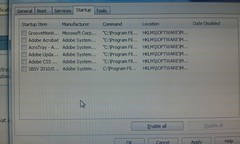
These were programs running that I disabled

12647446943_17e202d5da_m.jpg


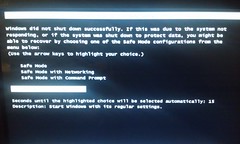
When I first rebooted after loading disk this screen popped up

12647815954_f47ee9d917_m.jpg


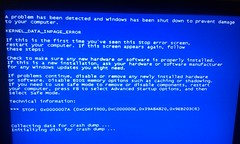
After a couple of hours(did go more than 1) this screen popped up forcing me to reboot

12647308905_f64bd1ba55_m.jpg


When I rebooted this is the reboot cd screen that comes up and I have no clue where to go from here

12647298535_bcd250ca9f_m.jpg
 
Bet on MyBookie
Top