

cool option mentioned at Ritholtz's blog the other day.
what you do is:
1. Punch in any US address into Google Maps.
2. Your options are Earth, Satellite, Map, Traffic and . . . More. (Select ?More? at top of map itself, not at top of page)
3. The drop down menu gives you a check box option for ?Real Estate.?
4. The left column will give you several options (You may have to select ?Show Options?).
5. Check the box marked ?Foreclosure.? (you usually have to uncheck the default check in the "for sale" box)
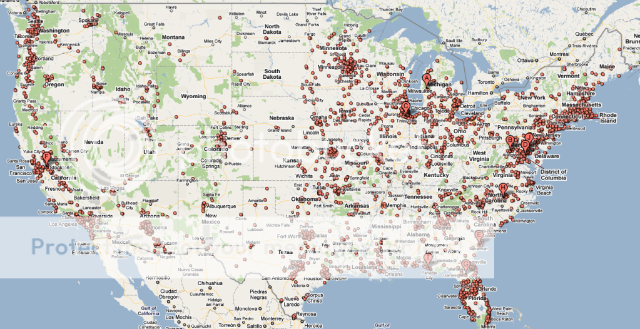
"Note: This map does not reveal any of the millions of REOs that have already been sold by the banks that hold them."
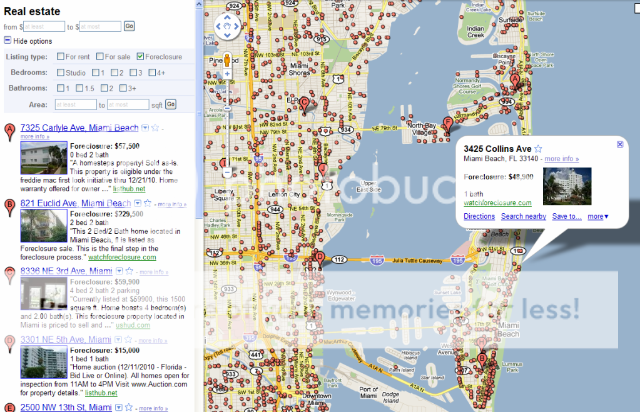
not my neighborhood, but a lot of foreclosures in Miami Beach and South Beach!
what you do is:
1. Punch in any US address into Google Maps.
2. Your options are Earth, Satellite, Map, Traffic and . . . More. (Select ?More? at top of map itself, not at top of page)
3. The drop down menu gives you a check box option for ?Real Estate.?
4. The left column will give you several options (You may have to select ?Show Options?).
5. Check the box marked ?Foreclosure.? (you usually have to uncheck the default check in the "for sale" box)
"Note: This map does not reveal any of the millions of REOs that have already been sold by the banks that hold them."
not my neighborhood, but a lot of foreclosures in Miami Beach and South Beach!

