What, no "buy a Mac" suggestions yet? :shrug:
Kick has a hot lead on the person who stole his blue shirt......he's very busy.....:0008
What, no "buy a Mac" suggestions yet? :shrug:
What, no "buy a Mac" suggestions yet? :shrug:
Try this on your laptop
Right click your wifi connection and click
Open Network and sharing center
Click Change Adapter settings
Right click your wifi connection and click properties
Click Internet Protocol Version 4 - Then click properties
At the bottom in the DNS section (let me know what your setting is)
Try changing to - Use the following DNS server addy
and use google's dns 8.8.8.8 alternate 8.8.4.4
You said some sites don't work - how many do?
madjacks
yahoo
google - make sure links don't redirect - malware
then try
go to start type internet options
Go to advanced
Click Reset, Click Reset
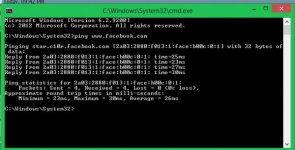
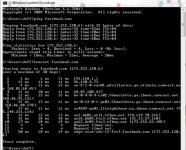
When you try to load Facebook what displays?



Everything I saw with - "err_connection_timed_out facebook" were solved with device fixes (hosts files, clear cache, turn off startup items, check task manager for mcafee or other running programs, flush dns, renew ip, etc) but since this seems to be occurring on 3 devices and only when connected the wireless router, I think the next thing to do is poke around the router, check for updates, make sure nothing looks out of ordinary and have the router refresh.
log in to the router 192.168.1.1
I don't feel like I'm being very helpful here. Let me take a look in the morning with fresh eyes - Sorry
Device fixes for timeout
<iframe width="420" height="315" src="https://www.youtube.com/embed/nEHuUtxg-wE" frameborder="0" allowfullscreen></iframe>
That hurt.....:facepalm:
You will be happy to know that I did miss doing one of the simplest trouble shooting things of all which is hook laptop straight to modem:facepalm: In my defense it just hit me while sitting here as I have yet to read a soul suggest that in all my hours of trying to figure this out and I would think that would be an easy way to figure a lot of stuff out early on:shrug:
Definitely a router issue as everything works(sites) when hooked straight to modem. Will take a look at router tomorrow.
Good thinking - Last week we had a thunderstorm that knocked out power and sent the computer gremlins in to our online. Our wireless was still up and the network was working fine but without internet. When I called Time Warner they wanted to walk me through my wireless router troubleshoot and my solution was to connect directly to the modem like you did. That saved me 30-45 minutes of bullshit and they were able to remotely reset the connection to the modem.
Have you held down the reset button on the wireless router and completely wiped everything back to factory and entered the info again? If you do that and still no dice, it's new router time. I haven't price checked Wireless AC routers lately but that's the new thing to get. It has a better way of dealing with bandwidth instead of cutting directly in half. They boast better speeds but remember service providers still control max speeds.
Good luck
Walmart will have some of the new AC wireless routers but an Office Depot, Office Max would have a better selection.
A wireless N is still fine for most homes but the AC tackles the bandwidth issues we start to run in to when we connect computers phones and televisions to the same router.
http://www.pcmag.com/article2/0,2817,2398080,00.asp
Let me know what you get, how easy it was to connect and how you like it in a month or 2 (If you see anything different)

Went with ac1600 lynksis. We don't have any need for more than this and it is plenty fast for our needs. Has a secondary network for guest and apparently is good for speed since my boys like streaming videos. Will let you know if any problems arise.

We use essential cookies to make this site work, and optional cookies to enhance your experience.